IT training across Europe - tecnovy makes you future-ready.

tecnovy AI Suite

Claude Cowork Training for Beginners

Ask Claude a question and you get text that you then work with yourself. Give Claude Cowork a task and Claude works inside a folder you share: it renames files, summarises documents and saves the finished report right there. This course trains that shift from asking to delegating, with no programming involved. You describe tasks clearly, decide what Claude may do and check every result before it moves on.
Attendance certificate4.8/5 on ProvenExpert

What this module delivers.

After the tecnovy Claude Cowork Training you hand filing, summaries and reports to Claude, with clear folder permissions and checked results. Built for business users without programming skills; your team gains reusable task templates.

How the training runs

Method
Short demos, then exercises with sample office files
Basis
tecnovy curriculum, checked against Anthropic's Cowork help, November 2026
Outcome
tecnovy certificate of participation, no examination

Dates & booking

Choose a date that fits

No public dates are scheduled yet.

New dates are published regularly. Join the waitlist or plan an in-house course for your team.

Request in-house training

Fit

Who this module is designed for

Typical roles

  • You work in administration, assistance, sales, marketing, HR, procurement or controlling, mostly with documents and spreadsheets.
  • You already use an AI chat and want to hand Claude whole tasks instead of only asking questions.
  • You handle recurring office work such as filing or reports and want to hand it off without learning to code.

Prerequisites

No prerequisites

You can start right away. Helpful: a recurring task from your own working day.

Consider instead Cowork PDF · PDFs and Documents with AI: Claude Cowork Training If you already use Cowork, that course works through whole folders of contracts, offers and invoices and moves the values into Excel.

Curriculum

Claude Cowork Training in Detail

Five parts take you from your first question to your first routine of your own: telling tasks apart, setting up safely, describing tasks, handing off typical office work, saving templates. You practise with sample files and finish with a use case from your own work.

01From chat to agent

An AI agent carries out a task in several steps on its own instead of only answering.

  • How a task in Cowork differs from a question to Claude
  • Typical office tasks you can delegate, and those you should not
  • Chat and Cowork in one conversation: what changed in September 2026
02Setting up and working safely

Before Claude touches a file, you decide what it may see and do.

  • Setting up Claude Desktop and connecting a dedicated working folder
  • Permission modes Manual, Auto and Skip: how often Claude asks before it acts
  • Company policies and data protection: which files Claude may see
03Describing tasks well

A clear task description decides whether the result is usable.

  • Setting the goal, source material, output format and quality criteria
  • Reading interim results and correcting course
  • Checking results against the source files
04Typical office tasks

You hand off the work that takes up most time in a typical office day.

  • Sorting files and renaming them to a scheme
  • Summaries, reports and slide decks from existing material
  • Working with Word, Excel and PowerPoint files and the browser
05Routines of your own

Whatever worked well once, you save for next time.

  • Saving recurring tasks as templates
  • Carrying out a use case from your own work

Outcome

What you will be able to do afterwards

  1. 01

    You sort office tasks into those you delegate to Cowork, those you supervise and those you keep.

  2. 02

    You connect a dedicated working folder and choose the permission mode, meaning how often Claude asks before it acts.

  3. 03

    You describe tasks with a goal, source material, output format and quality criteria.

  4. 04

    You read interim results and correct course when Claude drifts from the brief.

  5. 05

    You have files sorted and renamed, and summaries, reports and slide decks built from existing material.

  6. 06

    You check results against the source files before passing them on.

  7. 07

    You save a recurring task as a template and carry out a use case from your own work.

Offer scope

What is included

Included

  • Sample files and task templatesPrepared office files for every exercise, plus templates for task descriptions you keep using after the course.

Why tecnovy

What you get on top with us

02

Certificate Showroom

Get your certificate of participation and, if you have one, add your exam certificate from E-Learning. Fully automated, beautifully designed. Just for you, only at tecnovy.

03

Flexible Date Change

If you are not able to attend the course, you can rebook your training free of charge up to one week before the start of the training.

04

Attend Twice, Pay Once

You are welcome to attend the training online again within a year as a refresher.

05

Learn from Experts

We always guarantee you the use of didactically and methodically first-class qualified trainers who draw their knowledge from training experience as well as professional practical and project experience.

FAQs

Frequently asked questions

01What is the difference between asking Claude a question and giving Cowork a task?
A question gets you text in reply; a Cowork task is something Claude carries out in several steps on the files in your shared folder, saving the result as a file. The tecnovy Claude Cowork Training practises which kind of work belongs in which form.
02My Claude shows no separate Cowork option. Does the training still apply?
Yes: since 16 September 2026 Anthropic has been merging chat and Cowork in stages into one conversation, where Claude works out whether you need an answer or a finished task. The tecnovy Claude Cowork Training teaches that way of working rather than a particular button, so it applies to both versions.
03Can Claude Cowork see every file on my computer?
No, Claude reads and writes files only in folders you connect, and it asks before permanently deleting anything, in every mode. With computer use switched on, Claude can also see what is on your screen. In the tecnovy Claude Cowork Training you set up a dedicated working folder for this, as Anthropic recommends, and choose how often Claude asks before it acts.
04Do I need technical skills?
The tecnovy Claude Cowork Training needs no programming skills, because you describe tasks in everyday language. What is new for most people is sharing folders and choosing permission modes, and you set up both step by step in the course.
05Which Claude plan do the exercises require?
According to Anthropic, Cowork comes only with paid plans, that is Pro, Max, Ultra, Team or Enterprise, and not with the free plan (as of November 2026). For the exercises in the tecnovy Claude Cowork Training that use folders on your own computer, Claude Desktop, Anthropic's desktop app, must also be open.
06May I use real company documents?
Your company's policies decide that; the tecnovy Claude Cowork Training practises on prepared sample files, and Cowork processes tasks on Anthropic's servers. On Team and Enterprise, Anthropic does not use inputs or outputs for model training by default; on Pro, Max and Ultra a privacy setting controls that, with exceptions for safety reviews and voluntary feedback (as of November 2026).
07Which tasks should I not give to Cowork?
Tasks whose result you cannot check, and steps that are hard to undo, such as sending messages, should not go to Claude unsupervised. In the tecnovy Claude Cowork Training you sort typical office tasks by exactly that yardstick.
08What do I receive at the end?
The tecnovy Claude Cowork Training ends with the tecnovy certificate of participation, which you receive from 80% attendance. It includes no examination, and Anthropic issues no certificate for it.
09Which Cowork courses build on this one?
Three tecnovy courses expect the first Cowork experience this training gives you, and each goes deeper into one area. Competitor Analysis with AI researches competitors with a source for every entry, PDFs and Documents with AI works through whole folders of documents, and Excel with AI turns raw exports into checked reports.


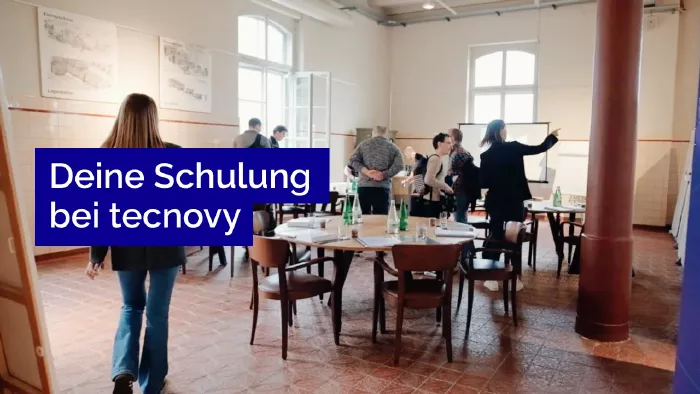
What does your training at tecnovy look like?

Cowork StarterTraining for Beginners

No dates yet

We will let you know as soon as the next date is scheduled.

Feedback Form
What should we improve?

Tell us what we can do better next time.

Success
Error

© Copyright 2026, tecnovy GmbH, All Rights Reserved