Claude comes in at three points you already know from Figma: the microcopy for a screen, the variants of a flow and the design review before handoff. Claude, the AI assistant from Anthropic, takes its context straight from your file through Figma's MCP server, an interface for AI tools: frames, components, variables. What comes back is copy suggestions, alternatives and review notes. Which of them make it into your design in Figma is your call.
Attendance certificate4.8/5 on ProvenExpert
What this module delivers.
For designers who work confidently in Figma: in the tecnovy Claude for Designers workshop you have Claude prepare UX copy, screen variants and review notes from your file, and hand your development team specs and code prototypes.
How the training runs
Method
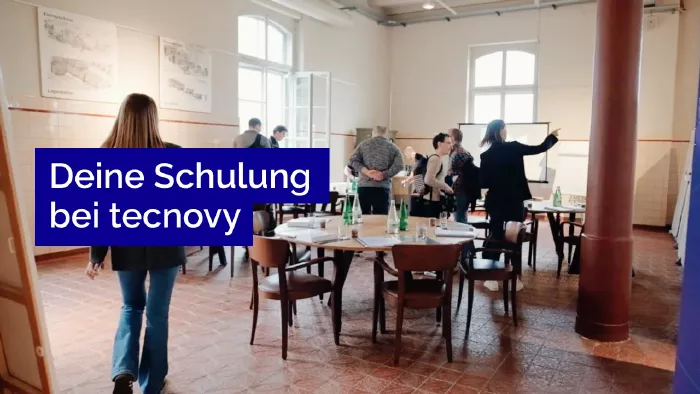
Live demos and exercises on a sample file or your own projects
You design screens and flows in Figma as a UX, UI or product designer.
You own a design system and make sure screens stick to its components and variables.
You work closely with development teams and hand designs over to them with specs.
Prerequisites
No prerequisites
You can start right away. What you need: confident use of Figma.
Consider insteadCreative AI DesignFor anyone who wants to develop ideas, concepts and moodboards with language models and image AI, without Figma or a fixed tool; the workshop assumes no design skills.
Curriculum
Claude for Designers Course in Detail
Five parts follow your design process: where Claude contributes, how you connect Claude to Figma, how copy and variants come about, how you check designs for consistency and accessibility, and how you prepare the handoff to development.
01AI in the design process
This part sets out where Claude contributes to the design process and what stays with you.
Research and ideation
UX copy and content
Review and handoff to development
What good design still needs: judgement, context, responsibility
02Connecting Claude to Figma
Here Claude gets access to your designs.
Setting up the connection through Figma's MCP server
Making designs readable for Claude with a link to a file or selection
Choosing frames and components as targeted context
Bringing in the design system's variables
03Developing and improving drafts
In this part you have Claude propose copy and alternatives for your screens.
UX copy and microcopy
Content for layouts
Variants and alternatives for screens and flows
Analysing user feedback and research notes
04Reviewing designs
This part uses Claude as a second pair of eyes on finished screens.
Consistency with the design system
Accessibility: contrast, text and structure
A pre-check that does not replace a specialist audit
05Handoff to development
Finally you use Claude to prepare what development needs to build the design.
Generating specs and component descriptions
Turning designs into code prototypes
Reviewing the prototypes together
Outcome
What you will be able to do afterwards
01
You decide where Claude contributes to your design process and where your own judgement stays in charge.
02
You set up the connection between Claude and Figma and pass frames, components and variables to it as targeted context.
03
You have Claude draft UX copy, microcopy and layout content, and you choose the version that fits.
04
You develop variants and alternatives for screens and flows with Claude and choose between them deliberately.
05
You analyse user feedback and research notes with Claude.
06
You check designs with Claude for deviations from your design system.
07
You use Claude to pre-check a design's contrast, text and structure for accessibility.
08
You generate specs, component descriptions and code prototypes from designs and review them before handoff.
tecnovy Teilnahmezertifikat
Confirms your attendance and the curriculum covered in the training. Issued by tecnovy, shareable on LinkedIn.
Sample design file and prompt collection for designersThe Figma file you practise on in the workshop, plus ready-made prompts for UX copy, variants and design review.
Claude for Designers
Why tecnovy
What you get on top with us
01
No Slideshow, Hands-On!
Promised: no PowerPoint marathon. We work in groups, tie theory to practice, and you get real project examples from our experienced trainers plus the exchange with like-minded people.
02
Certificate Showroom
Get your certificate of participation and, if you have one, add your exam certificate from E-Learning. Fully automated, beautifully designed. Just for you, only at tecnovy.
03
Flexible Date Change
If you are not able to attend the course, you can rebook your training free of charge up to one week before the start of the training.
04
Attend Twice, Pay Once
You are welcome to attend the training online again within a year as a refresher.
05
Learn from Experts
We always guarantee you the use of didactically and methodically first-class qualified trainers who draw their knowledge from training experience as well as professional practical and project experience.
FAQs
Frequently asked questions
01How does Claude get at my Figma files?
Through Figma's MCP server, an interface that lets AI tools read the frames, components, variables and layout data of a Figma file; in the Claude app this connection is called the Figma connector. In the tecnovy Claude for Designers workshop you set it up and use a link to a file or selection to give Claude exactly the part you are working on.
02What access do the exercises need?
The exercises in the tecnovy Claude for Designers workshop need a Figma account and a Claude account in which you can enable the Figma connector. Figma recommends a Full or Dev seat for its MCP server because other seats have usage limits there, and on Claude Team and Enterprise an owner has to enable the connector for the organisation first (as of November 2026).
03Is my design accessible once the AI check is done?
No, checking with Claude is a pre-check and does not make a design accessible or compliant. In the tecnovy Claude for Designers workshop you check contrast, text and structure using the data Claude reads from the Figma file, and find the places to rework. Whether a product meets WCAG or Germany's Accessibility Strengthening Act (BFSG) is settled by a separate specialist audit.
04Do I need programming skills for Claude for Designers?
No, the tecnovy Claude for Designers workshop assumes confident use of Figma but no programming skills. For the handoff to development it is enough to be able to look at code prototypes and discuss them.
05Does Claude replace design work?
No, in the tecnovy Claude for Designers workshop Claude supplies proposals and takes on routine work such as draft copy or checklists. Design decisions, the product context and responsibility for the result stay with you.
06Can I work on my own designs in the workshop?
Yes, in the tecnovy Claude for Designers workshop you can practise on your own projects instead of the sample design file, provided your organisation allows those files to be connected to Claude.
07Is Claude for Designers a certification?
No, Claude for Designers is a tecnovy workshop with no examination, and it leads to no certification. With at least 80 percent attendance you receive the tecnovy certificate of participation, stating the content, duration and date of the workshop.
08Where do I go after Claude for Designers?
The tecnovy Creative AI Design workshop takes you beyond Figma: there you develop ideas, concepts, moodboards and simple prototypes with language models and image AI, without being tied to one particular tool.
What does your training at tecnovy look like?
Claude for Designersfor Designers: AI Workflows with Figma
No dates yet
We will let you know as soon as the next date is scheduled.