IT training across Europe - tecnovy makes you future-ready.

tecnovy AI Suite

MCP Developing Your Own Server

This workshop covers the distance between an internal system no AI agent can reach and a tested MCP server that Claude Code or GitHub Copilot can call. You build the server with the official SDK in Python or TypeScript, design tools a model can understand, and decide which rights agents receive. Then you check it with the MCP Inspector and automated tests and prepare it for delivery and operation.
Attendance certificate4.8/5 on ProvenExpert

What this module delivers.

Developing Your Own MCP Server ends with a server you wrote yourself, in Python or TypeScript, that opens an internal system to AI agents. The tecnovy workshop suits backend and platform developers who own tools, permissions and tests.

How the training runs

Method
A continuous build project, tested in Claude Code and VS Code
Basis
tecnovy curriculum, checked against the MCP specification (November 2026)
Outcome
tecnovy certificate of participation, no examination

Dates & booking

Choose a date that fits

No public dates are scheduled yet.

New dates are published regularly. Join the waitlist or plan an in-house course for your team.

Request in-house training

Fit

Who this module is designed for

Typical roles

  • You develop backends, APIs or internal platforms and need to make a system accessible to AI agents.
  • You build AI applications and need an integration for which no suitable MCP server exists.
  • You are responsible for security or architecture and decide what AI agents may do in internal systems.

Prerequisites

No prerequisites

You can start right away. What you need: programming skills in Python or TypeScript, basics of REST APIs and JSON. Helpful: experience with MCP servers as a user.

Consider instead MCP Integration · MCP Servers in the Coding Environment For people who want to connect existing MCP servers to Claude Code and GitHub Copilot, assess them and configure them for the team, without building a server themselves.

Curriculum

Developing Your Own MCP Server in Detail

Six parts lead from the protocol, through your first own server, to testing, delivery and operation. One project connects them: you build an MCP server for a realistic internal system and test it in Claude Code and VS Code.

01Architecture and protocol

You work out how host, client and server interact through MCP.

  • How the protocol is structured and how client and server agree on version and capabilities
  • Tools, resources and prompts: when to use which
  • Transports: stdio for local, Streamable HTTP for remote servers
02Your first own server

You set up a working server with the official SDK in Python or TypeScript.

  • Setting up a project with the official SDK
  • First tools with a clean input schema
  • Testing with the MCP Inspector and in Claude Code
03Designing good tools for AI

You design tools so that a model calls them precisely and sparingly.

  • Names, descriptions and parameters a model understands
  • Error messages and return values from which the model derives its next step
  • A few well-cut tools instead of a copy of the whole API
04Connecting an internal system

You open an internal system through all three building blocks of the protocol.

  • Providing data as resources
  • Prompts as reusable templates for users
  • Pagination, filters and large data volumes
05Security

You decide who may use the server and what an agent can reach through it.

  • Authentication and authorization for remote servers
  • Minimal rights, input validation and logging
  • Recognising and containing prompt-injection and data-exfiltration risks
06Testing, delivery and operation

You take the server from development into use across the company.

  • Automated tests and evaluations against real models
  • Deployment as a container or in the cloud
  • Versioning, monitoring and distribution across the company

Outcome

What you will be able to do afterwards

  1. 01

    You decide whether a function of your system belongs in the server as a tool, a resource or a prompt.

  2. 02

    You develop an MCP server with the official SDK and choose stdio for local or Streamable HTTP for remote use.

  3. 03

    You write tool names, descriptions and input schemas so that a model calls them precisely and sparingly.

  4. 04

    You return error messages from which a model can work out how to correct its call.

  5. 05

    You connect an internal system and keep large data volumes in check with pagination and filters.

  6. 06

    You set up authentication and minimal rights for a remote server, validate inputs and log calls.

  7. 07

    You check the server with the MCP Inspector, automated tests and evaluations against real models.

  8. 08

    You deliver the server as a container or in the cloud and plan versioning, monitoring and distribution across the company.

Offer scope

What is included

Included

  • Project repository with a reference implementation in Python and TypeScriptThe workshop project builds on it, and you keep both implementations as templates.
  • Security checklist for your own MCP serversIt sums up the checks from the security part, from authentication to logging.

Why tecnovy

What you get on top with us

02

Certificate Showroom

Get your certificate of participation and, if you have one, add your exam certificate from E-Learning. Fully automated, beautifully designed. Just for you, only at tecnovy.

03

Flexible Date Change

If you are not able to attend the course, you can rebook your training free of charge up to one week before the start of the training.

04

Attend Twice, Pay Once

You are welcome to attend the training online again within a year as a refresher.

05

Learn from Experts

We always guarantee you the use of didactically and methodically first-class qualified trainers who draw their knowledge from training experience as well as professional practical and project experience.

FAQs

Frequently asked questions

01Which programming language is the server built in?
In the tecnovy Developing Your Own MCP Server training you develop in Python or TypeScript, and the project repository holds a reference implementation in both. The MCP project lists both SDKs in its top tier (Tier 1); official SDKs also exist for C#, Go, Rust, Ruby, Java, Swift, PHP and Kotlin (as of November 2026).
02Do I need the MCP Servers in the Coding Environment course first?
No, for tecnovy's Developing Your Own MCP Server, programming skills in Python or TypeScript and basics of REST APIs and JSON are enough. If you have never connected an MCP server in Claude Code or GitHub Copilot, MCP Servers in the Coding Environment is a good preparation.
03Which AI applications work with your own MCP server?
With applications that support the Model Context Protocol as a client, including Claude Code and GitHub Copilot; in the tecnovy Developing Your Own MCP Server training you test in Claude Code and VS Code. Which building blocks a client uses differs: GitHub documents resources and prompts for Copilot in VS Code only, but tools for every supported IDE (as of November 2026).
04What do I need to run the exercises?
The exercises in tecnovy's Developing Your Own MCP Server need an MCP-capable client such as Claude Code or VS Code with GitHub Copilot, access to a language model for the evaluations, and a container or cloud environment for deployment. On Copilot Business and Enterprise, GitHub states that the MCP servers policy is disabled by default until the organisation enables it (as of November 2026).
05Is your own MCP server worth it when one already exists for the system?
Often yes, when you need to control which data an agent sees, which rights it gets and how much of the system it reaches. In the tecnovy Developing Your Own MCP Server training you weigh up when an existing server is enough and when your own, with a few well-cut tools, is the better choice.
06Will our MCP server be secure after the workshop?
The tecnovy Developing Your Own MCP Server training gives you no guarantee of that; it shows you what to check on your server: authentication, minimal rights, input validation and logging. The MCP specification (revision 2026-07-28) requires servers to validate all tool inputs, enforce access controls, rate-limit calls and sanitise outputs. Anthropic also notes that MCP servers which fetch external content expose agents to the risk of injected instructions (prompt injection) (as of November 2026).
07How do clients authenticate to your own MCP server?
It depends on the transport: for remote servers over HTTP the MCP specification describes authorization based on OAuth 2.1, while local servers over stdio take their credentials from their environment (revision 2026-07-28). The tecnovy Developing Your Own MCP Server training covers authentication and authorization in its security part.
08Is there an examination or a certification at the end?
No, Developing Your Own MCP Server is a tecnovy workshop with no examination and no certification. If you attend at least 80% of it, you receive the tecnovy certificate of participation.
09Which course builds on your own MCP server?
If you want to build agents that use such servers after Developing Your Own MCP Server, the tecnovy workshop Developing AI Agents covers that. There you build multi-step agents in Python with their own tools, connecting existing systems through APIs and MCP.


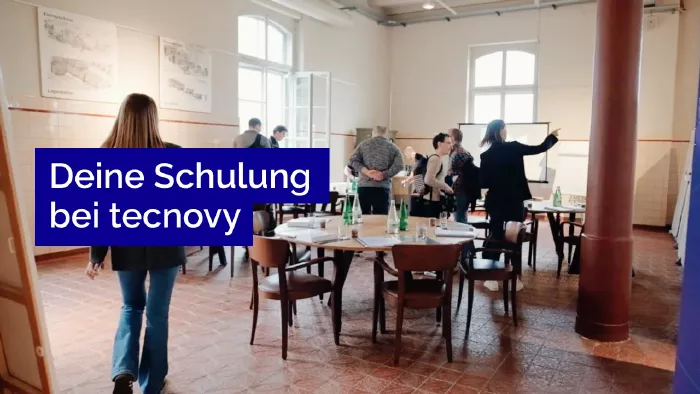
What does your training at tecnovy look like?

MCP DevelopmentDeveloping Your Own Server

No dates yet

We will let you know as soon as the next date is scheduled.

Feedback Form
What should we improve?

Tell us what we can do better next time.

Success
Error

© Copyright 2026, tecnovy GmbH, All Rights Reserved